
Vehicle and Owner Details in Arunachal Pradesh
If you are planning to buy a used vehicle in Arunachal Pradesh, you must verify its insurance and owner details before making your purchase decision. By verifying these essential details, you can protect yourself from legal proceedings and reduce the risk of fraud. To check a vehicle and its owner details, you do not have to visit an RTO or submit any paperwork; you can simply log in to Pbwheels.com. Continue reading this page to learn how to easily check vehicle and owner details online in Arunachal Pradesh.
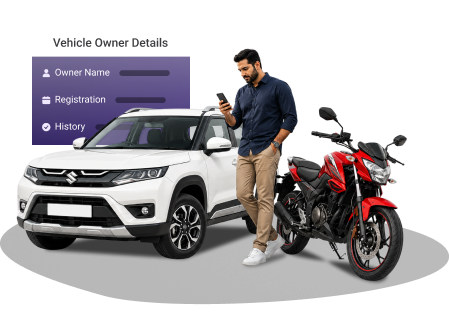
Enter Registration Number
What Vehicle Details Can Be Checked Online on PB Wheels?
A few vehicle details that you can retrieve online through PB Wheels are listed here:
- Vehicle owner's name (partially hidden)
- Vehicle registration number (partially hidden)
- Validity of pollution certificate
- Vehicle registration date
- Validity of third-party insurance
- Emission norms and fuel type
How to Check Vehicle and Owner Details in Arunachal Pradesh?
You can use any of the options mentioned here to check your Arunachal Pradesh vehicle and owner details online or through your phone.
Check Vehicle and Owner Details via PB Wheels
You can also check the vehicle and owner details through Pbwheels.com by following these steps:
- Open the Vehicle Owner Details page on Pbwheels.com.
- Click 'Search Car Details' after filling in the vehicle registration number.
- You can check all the required information - such as fuel type, insurance status, and PUCC validity- on your screen.
Check Vehicle and Owner Details via Parivahan Sewa Portal
Follow the steps given below to check vehicle details on the Parivahan Sewa website:
- Open the Parivahan Sewa portal.
- Click 'Know Your Vehicle Details' under the Informational Services tab.
- Sign in with your registered phone number. Enter the OTP. If you are a new user, you have to register to access services.
- Enter the vehicle registration number. Enter the Captcha and click 'Search'.
- You can view your Arunachal Pradesh vehicle details on your screen.
Check Vehicle Insurance Details in Arunachal Pradesh via the mParivahan App
If you want to check your vehicle's insurance details using the mParivahan app, simply use these steps:
- Download and install the mParivahan app on your phone.
- Create your account and log in.
- In the search bar, type your vehicle's RC number. Click 'Search'.
- You can see the vehicle's insurance validity, PUCC status, and owner details on your phone screen.
Why You May Need to Check Vehicle Details in Arunachal Pradesh?
You may need to check a vehicle's details in any of these scenarios:
If you are planning to buy a pre-owned vehicle in Arunachal Pradesh, you must check the vehicle's ownership and legal status before making any financial transaction.Read more
You need to verify if your vehicle's PUC certificate, insurance, and registration certificate are valid to avoid getting traffic fines in Arunachal Pradesh.Read more
If you witness a hit-and-run incident, you can assist the law enforcement personnel by noting the accused vehicle's number and retrieving the vehicle's and the owner's details online.Read more
You can verify the loan or hypothecation status of a second-hand vehicle before buying it.
If you do not have physical copies of your vehicle documents, you can retrieve them online if the traffic police stop you for a routine check.Read more
Frequently Asked Questions
Is there any fee to check vehicle owner details online in Arunachal Pradesh?
No, there is no fee to check a vehicle owner's information online. You can visit Pbwheels.com, enter your vehicle registration number and find the information you need.
Is there an app to check an Arunachal Pradesh vehicle's PUC status?
Yes, you can check your vehicle's PUC status from your mobile by downloading the mParivahan app.
Are the vehicle details displayed on the Parivahan Sewa portal up to date?
Yes. The Parivahan Sewa portal's database is maintained by the government and is regularly updated. However, sometimes due to processing delays, there may be a few minor errors.
Do I need to register on the Parivahan Sewa website to check vehicle details?
No, you do not have to register on the Parivahan Sewa website to check vehicle details. You can simply enter the vehicle registration number on the portal to retrieve the information you need.
Is it legal to check a vehicle owner's details online in Arunachal Pradesh?
Yes, it is completely legal in India to check a vehicle and its owner's details online through authorised websites like Pbwheels.com and Parivahan Sewa.