
Vehicle and Owner Details in Odisha
Check vehicle and owner details in Odisha if you plan to buy a pre-owned vehicle in the state. It helps to verify the owner and insurance details and confirm registration status. The process takes minutes, requires no paperwork, and doesn't require you to visit an RTO. Read further to know how to check vehicle and owner details online in Odisha through official government websites like Parivahan or platforms like Pbwheels.com.
Enter Registration Number
What Vehicle Details can be checked Online on PB Wheels?
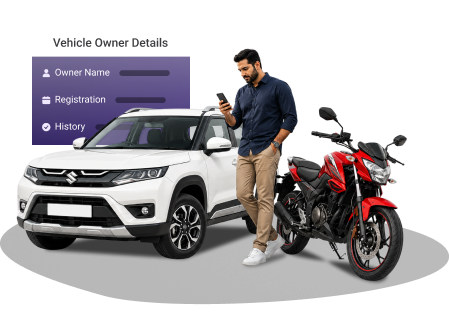
The information listed below becomes accessible once you enter a vehicle registration number into the Pb Wheels portal.
- The name of the owner
- Emission norms
- Insurance validity
- PUC (Pollution Under Control) certificate status and expiry dates
- Vehicle class and technical specifications
- Hypothecation status (if the vehicle was purchased on loan)
- Registration date and validity
- Name & code of the RTO
- Vehicle registration specifics, chassis & engine numbers, make & model, colour & body type
How to Check Vehicle and Owner Details in Odisha?
The Parivahan Sewa Portal, the mParivahan Mobile App, and Pbwheels.com are a few options you can opt for to check vehicle and owner details in Odisha.
1. Via Parivahan Sewa Portal
The government's official platform connects directly to the VAHAN database maintained by the Ministry of Road Transport and Highways.
- Go to the Parivahan Sewa portal.
- Go to the "Informational Services" tab and tap "Know Your Vehicle Details".
- Log in to the website using your registered mobile number. Enter the OTP sent to you. If you are a first-time user, complete your registration.
- Type the vehicle registration number into the search field. Fill in the captcha code and click "Search".
- The screen displays vehicle details, including masked owner information, registration status, and insurance validity.
2. Via the mParivahan App
NextGen mParivahan is an official government app that functions as a mobile extension of the VAHAN database. Android users can find it on the Google Play Store. If you are an iPhone user, you can directly download from the Apple App Store.
- Install the mParivahan app on your device.
- Create an account by providing your mobile number. Verify through OTP, and set a 6-digit MPIN for security.
- Enter the vehicle registration number and click "Search".
3. Check Vehicle Details via Pbwheels.com
Pbwheels.com is a very easy alternative to the government portal. The platform extracts data from official sources and provides a simpler user experience.
- Navigate to the "Vehicle Owner Details" page on Pbwheels.com.
- Insert the vehicle registration number and press "Check Details".
- The following page displays vehicle information, owner details, insurance status, and PUCC validity.
Why you may need to Check Vehicle Details in Odisha?
You may need to check the vehicle details for the following reasons:
Pre-owned vehicle purchases demand verification. Running a quick check reveals ownership history, outstanding loans, and the authenticity of vehicle registration.Read more
It ensures that your insurance policy, PUC certificate, and registration are up to date and prevents you from receiving a challan.Read more
In hit-and-run incidents, the witness can note the vehicle registration and help the concerned authority to retrieve the vehicle owner's details in Odisha through public databases. This assists authorities in identifying vehicles involved in accidents or violations.Read more
It helps verify loan status and protects buyers from inheriting someone else's debt.
Frequently Asked Questions
Can you see who the registered owner of a vehicle is?
If you have the correct vehicle registration number, you can easily find the registered owner of a vehicle on Parivahan or Pbwheels.com. However, the full owner's name stays hidden due to privacy regulations set by the Government of India.
Do I need to re-register my Odisha vehicle to use it in another state?
If you stay in another state for less than one year, you don't need to re-register your vehicle. But if you are planning to move permanently or for more than a year, then you are required to re-register your vehicle or transfer registration to a local RTO there.
What is the validity of my Odisha vehicle's registration certificate?
Registration certificates remain valid for 15 years from the original registration date. After this period expires, renewal is required every 5 years.
How can I find the vehicle owner's details in Odisha?
You can visit PB Wheels or the Parivahan portal to verify the vehicle info in Odisha. Alternatively, you can also download the mParivahan mobile application for vehicle owner details in Od.
What vehicle documents should I have with me when driving in Odisha?
You must carry your driving licence, vehicle insurance papers, PUC certificate, and registration certificate while driving in Odisha.