
Vehicle and Owner Details in Karnataka
You may want to check vehicle and owner details in Karnataka for various purposes. It may be because you want to buy a used vehicle, confirm registration status, or verify insurance validity or hypothecation status. Whatever the reason, you can check vehicle owner details using only a vehicle registration number. This article walks you through multiple methods for checking vehicle owner details in Karnataka.
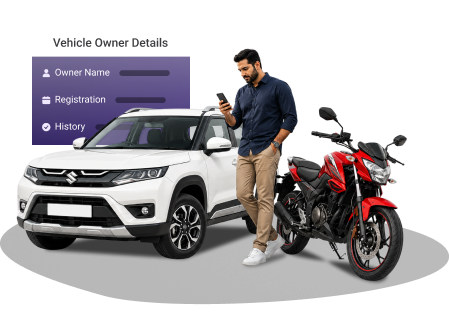
Enter Registration Number
What Vehicle Details Can Be Checked Online Through PB Wheels?
Using the registration number, you can check these vehicle details online:
- Owner's name
- Make, model, colour, and body type
- Vehicle registration number
- Engine number and chassis number, and engine number
- Emission norms and fuel type
- Vehicle insurance validity
- Registration date and validity
- Vehicle class (LMV, Two-Wheeler, etc.)
- Pollution Under Control (PUC) status
- Name and code of the RTO
- Hypothecation status (if the vehicle was purchased on loan)
- Manufacturing date, engine capacity, and seating capacity
How to Check Vehicle and Owner Details in Karnataka?
If you're looking to check vehicle owner details in Karnataka, you've got a few choices.
Check Vehicle Details in Karnataka via the Pbwheels.com
Checking vehicle owner details on Pbwheels.com is very easy. Follow the steps given below.
- Go to the 'Vehicle Owner Details' page on Pbwheels.com.
- Enter the vehicle registration number and click 'Submit'.
- Various vehicle and owner details will be displayed on the screen.
Checking Vehicle Details in Karnataka via the Parivahan Sewa Portal
The Ministry of Road Transport and Highways provides a centralised database of vehicle registrations on the VAHAN website. Both the Vahan portal and the mParivahan app are official platforms, managed by MoRTH.
To view Karnataka vehicle registration details on the Parivahan Sewa website, follow these steps:
- Go to parivahan.gov.in to access the Parivahan Sewa portal.
- Select 'Know Your Vehicle Details' from the 'Informational Services' tab.
- Enter your registered phone number to log in, then use the OTP to confirm. Before logging in, new users must click 'New User' to complete registration.
- Enter the vehicle's registration number and complete the security verification through CAPTCHA.
- You can now see information about the vehicle and its owner.
Checking Vehicle Details in Karnataka via the mParivahan App
Use these steps to check vehicle insurance and owner information via the mParivahan app:
- Firstly, download and install the NextGen mParivahan app.
- Register your account and sign in to the application using your phone number.
- Enter the vehicle registration number (e.g., KA03AB1234) and click on the 'Search' button.
- Your screen will display the vehicle's insurance validity, PUCC status, owner details, make, model, and fuel type.
Why You May Need to Check Vehicle Details in Karnataka?
You might need to check vehicle info in Karnataka for several reasons:
Pre-owned vehicle purchase: If you intend to purchase a pre-owned vehicle in Karnataka, verify ownership, hypothecation status, and the vehicle's legal standing before buying to protect yourself from fraud.Read more
Loan verification: Verify the loan or hypothecation status of a pre-owned vehicle before you decide to purchase. It will save you from debts.Read more
Avoiding traffic fines: You need to verify vehicle information to confirm the vehicle insurance policy, PUC certificate, and RC remain valid. Driving without any document or with an expired one can attract a fine.Read more
Hit and Run: If you see a hit-and-run, you can help the police by getting the car's/bike's and the owner's information online.
Routine traffic checks: Authorities can verify vehicle details through the VAHAN portal. You can also produce soft copies from the mParivahan app if you know how to check vehicle details online.Read more
Frequently Asked Questions
How can I get the vehicle owner's details in Karnataka?
You can simply visit the Parivahan Sewa website or Pbwheels.com and enter the vehicle registration number. You will be able to see the owner's details, partially masked in accordance with the Government of India privacy rules. You can also use the mParivahan mobile app to access the information.
Which document shows the ownership details of a vehicle?
The registration certificate proves the ownership details of a vehicle. It is issued by the RTO. Earlier, the RC book was provided. However, it has now been replaced by a durable smart card.
How do I check the status of my vehicle insurance online?
You can easily check vehicle insurance status online through Pbwheels.com, Parivahan Sewa portal, and the mParivahan App. The mParivahan app offers the added benefit of storing a Virtual RC on your phone.
How can I check the owner count for a vehicle in Karnataka?
You can simply check the vehicle's registration certificate. Look for the registration date or endorsement entries. If there are multiple transfers, it means there have been multiple owners. You can check the registration certificate online on the PB Wheels, mParivahan app or the Parivahan website by entering the vehicle number.
Is it compulsory to have a valid vehicle insurance policy in Karnataka?
A valid vehicle insurance policy is compulsory under Section 196 of the Motor Vehicles Act 1988. First-time offenders face imprisonment up to three months, a fine of Rs. 2,000, or both. Repeat offenders will face imprisonment of up to three months or a fine of Rs. 4,000.
How can I check vehicle owner details by number plates in Karnataka?
To check vehicle owner details by number plate in Karnataka, you can use the PB Wheels website. You can also visit the Parivahan Sewa portal or download the mParivahan app. Go to the 'Informational Services' tab, log in with your mobile number, and enter your registration number.