
Vehicle and Owner Details in Chandigarh
Online portals have made checking vehicle owner details in Chandigarh very simple. Registration status, insurance validity, ownership records—you can access everything without stepping into the RTO office. Checking vehicle and owner details is important when you're buying a used vehicle, verifying the authenticity of paperwork, or helping authorities piece together a road incident. This article will guide you through the easiest ways to check vehicle and owner details online in Chandigarh.
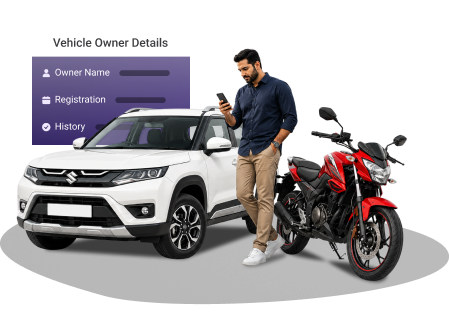
Enter Registration Number
What Vehicle Details Can Be Checked Online on PB Wheels?
Some vehicle details that you can retrieve online through Pb Wheels are listed below:
- Owner's name
- Insurance validity
- Vehicle registration number
- Vehicle category and class (LMV- Light Motor Vehicle, HMV- Heavy Motor Vehicle)
- Registration date and RTO details
- Engine number and chassis number
- Hypothecation status (if your vehicle is still under the loan)
- Pollution Under Control (PUC) status
- Emission norms and fuel type
How to Check Vehicle and Owner Details in Chandigarh?
You can check vehicle details in Chandigarh using the options given below:-
Via Pbwheels.com
You can always use our website to obtain the vehicle owner's details. To get the vehicle info, follow these easy steps:
- Go to the "Vehicle Owner Details" page.
- After you've entered the required vehicle details, click "View Details."
- The vehicle information is now displayed on the screen. It includes the owner's details, PUCC validity, and insurance status.
Via Parivahan Sewa Portal
The Parivahan Sewa portal provides access to vehicle info in Chandigarh. Here's how you can check vehicle details through this website:-
- Visit the parivahan.gov.in.
- Tap the "Know Your Vehicle Details" link under the "Informational Services" section.
- Type in your registered phone number to log in. You'll need to enter the OTP. New users must register before accessing the services.
- Enter your vehicle registration number. After entering the Captcha, click "Search."
- Your vehicle's details are displayed on the screen.
Via the mParivahan App
The procedures to use the mParivahan app to check your vehicle details are explained below:
- Install and download the mParivahan app from the Play Store or App Store.
- Log in/register your account using the mobile number on the app.
- Enter the vehicle registration number and click on 'Search'.
- Vehicle details, including insurance validity, PUCC status, and owner details, are now available on your screen.
Why You May Need to Check Vehicle Details in Chandigarh?
It helps to verify the vehicle ownership and legal status when you buy a used vehicle.Read more
An updated registration certification, vehicle insurance, and a valid PUCC help you avoid fines during routine traffic checks.Read more
Hit-and-run incidents require retrieving vehicle and owner details online to assist law enforcement.Read more
It helps in verifying the loan or hypothecation status of a pre-owned vehicle before buying it.Read more
During routine traffic checks, it's helpful to access vehicle information online when physical documents aren't available.Read more
Frequently Asked Questions
How to get personal details from the vehicle number?
You are simply required to visit the PB Wheels website or the mParivahan app. Then, enter your vehicle number, verify yourself, and submit. The system will display the details.
What is the easiest way to find vehicle owner details in Chandigarh?
The simplest way to find vehicle owner details is via the Pbwheels.com or the Parivahan (VAHAN) portal. The NextGen mParivahan mobile application also allows you to easily check vehicle owner details using only a vehicle registration number.
How can I check my RC status in Chandigarh?
Go to the Parivahan Sewa website and select your state along with the relevant RTO. Next, click "Know Your Application Status," enter your application or vehicle registration number, then enter the security code, and hit submit. Your RC status for Chandigarh will then be displayed.
What vehicle documents must I carry while driving in Chandigarh?
While driving in Chandigarh, you must carry a valid driving license, registration certificate, an insurance policy, and a pollution certificate. Digital copies stored in DigiLocker or the mParivahan app are also accepted for routine traffic checks.
Is motor insurance mandatory in Chandigarh?
Yes. Under Section 146 of the Motor Vehicles Act, 1988, third-party motor insurance is necessary for all vehicles used in public places. Driving without valid insurance can result in a ₹2,000 fine for the first offence and a ₹4,000 fine for repeat offences, along with a maximum imprisonment of up to three months.